


Players rating
BC Game Egypt App for Casino and Sports
Open on MobileBC Game Egypt App: casino, sportsbook and Wallet on mobile
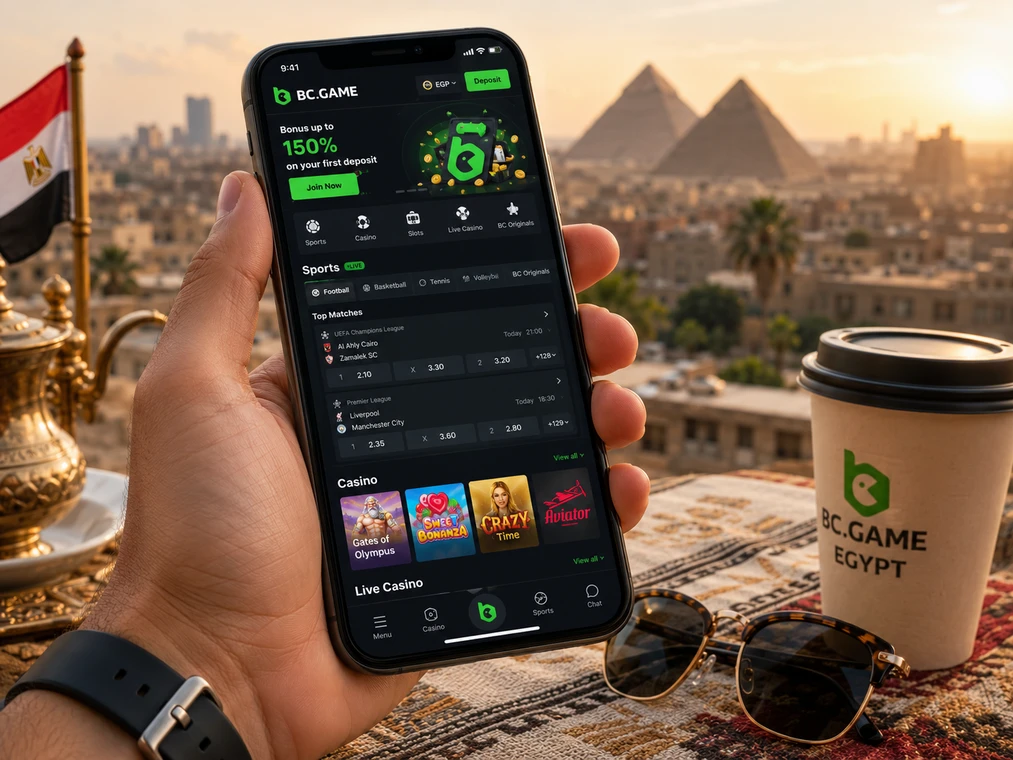
The BC Game Egypt mobile experience gives the same BC.GAME account access to 1000+ slots, Live Casino, BC Originals, 80+ sports, Wallet functions, bonuses, My Bets and support from Android or iPhone. There is no separate mobile bankroll: the balance, bonus rollover and transaction history belong to the same account used on desktop. The practical difference is the access method — browser, Android web app/APK or an iOS home-screen web app.
Because app-distribution methods can change by region and device, we do not tell users to install a file from an arbitrary search result. Open BC.GAME or an official mirror first, then use the installation option presented there. That keeps the application source tied to the platform rather than to an unaffiliated APK directory. The BC Game Egypt homepage is the main page for this language version.
Android: browser, web app and official APK route
Android players can use BC.GAME directly in Chrome. If the installable web-app prompt is available, Chrome can place the site on the home screen so it opens in an app-like window. Where BC.GAME provides an APK download, Android may require permission to install apps from that browser or file source. Enable that permission only for the installation, verify that the download came from an official BC.GAME address, then return the permission to its safer default if desired.
Android installation sequence
- Open the current official BC.GAME domain or an official mirror in Chrome.
- Use the platform’s Android download/install option rather than a third-party APK catalogue.
- If Android requests permission for the browser to install an unknown app, review the source before allowing it.
- Complete installation, open BC.GAME and use your existing account credentials or linked provider.
- After login, verify Wallet balance and security settings before depositing or placing a bet.
iPhone and iPad: Safari web app
On iOS, BC.GAME can be used as a responsive website and saved as a home-screen web app. In Safari, open the official site, tap Share, choose Add to Home Screen and confirm. The resulting icon launches the mobile site without creating a second account. Updates are delivered through the web experience, so there is no separate APK-style package to sideload on iPhone.
BC Game mobile login methods and 2FA
The mobile sign-in form supports the same account methods as desktop: registered email or phone plus password, and Google or Telegram authorization where those methods are linked and displayed. If Google Authenticator 2FA is enabled, enter the current six-digit code when requested. The code refreshes every 30 seconds, and 2FA can only be activated after email or phone verification.
- Use a private device for saved credentials.
- Do not approve a login or recovery request received through an unofficial message.
- Keep the Google Authenticator secret/recovery information outside the same phone when practical.
- Remember that password or security changes can trigger a 24-hour withdrawal restriction.
Mobile Wallet: deposit and withdrawal controls
The mobile Wallet exposes Deposit, Withdraw, Swap, Transaction, Rollover and Bet History. For crypto deposits, select the coin and then the exact network before copying the address. XRP, XLM and EOS transfers may also require a Memo, Tag or Destination ID. After sending, Transaction is the first place to verify whether BC.GAME has recorded the transfer; blockchain confirmations can make crediting take from roughly a minute to two hours.
On a small screen, never rely on a truncated address. Paste the destination into the sending wallet and compare visible beginning/end characters, network and any memo field. For a withdrawal, perform the same checks in reverse. A blockchain transaction sent to an incorrect network or address may not be recoverable.
Sportsbook and casino controls on a phone
Mobile casino search keeps providers and categories available without requiring a separate app wallet. In the sportsbook, selecting a market opens the bet slip, where final odds, stake and potential return should be checked before confirmation. Accepted tickets can then be followed in My Bets/Bet History. Live prices can move between selection and submission, so the final bet-slip price matters more than the number first seen in the market list.
Updating and troubleshooting mobile access
A web app updates when BC.GAME updates the site. For an APK, use the update prompt or current download offered by BC.GAME rather than installing an APK from an unrelated source over the existing version. If the mobile interface misbehaves, first check connection, browser/app version, cached site data and whether an official mirror loads normally before changing account credentials.
BC Game Egypt app FAQ
Does BC Game Egypt need a separate mobile account?
No. Mobile and desktop use the same BC.GAME account, Wallet, bonus records and betting history.
How do I install BC.GAME on iPhone?
Open the official site in Safari, use Share → Add to Home Screen, then launch the saved web app icon.
Where do I check a mobile crypto deposit?
Open Wallet → Transaction. If support is needed, provide the coin, network, amount, transaction hash and destination address.